 Riff · iPhone calendar

Tyler HallBuilding Mac apps since 2006
On Mastodon, 2 September 2026This is seriously impressive. It’s rare to find such a well-done new take on an established category like calendar apps.
A closer look
-
Create an event by holding its time
Hold an empty slot and a new event appears there. Slide to adjust the start, and drag the bar at its foot to set the duration. For an all-day event, hold under the date.
-
Round times by default, exact when needed
Drags snap to round times. For an exact time, pause before you drag on, or drag the time tag at the left edge.
-
Riff remembers your regular events
Type the start of a title you have used before, and Riff suggests the event with its length, place and alert from last time. There is nothing to set up. The suggestions come from your own calendar.
-
Reschedule with your calendar in view
Tap the arrows beside an event’s time and it lifts off. Scroll to another week or day, then place it among what is already there.
-
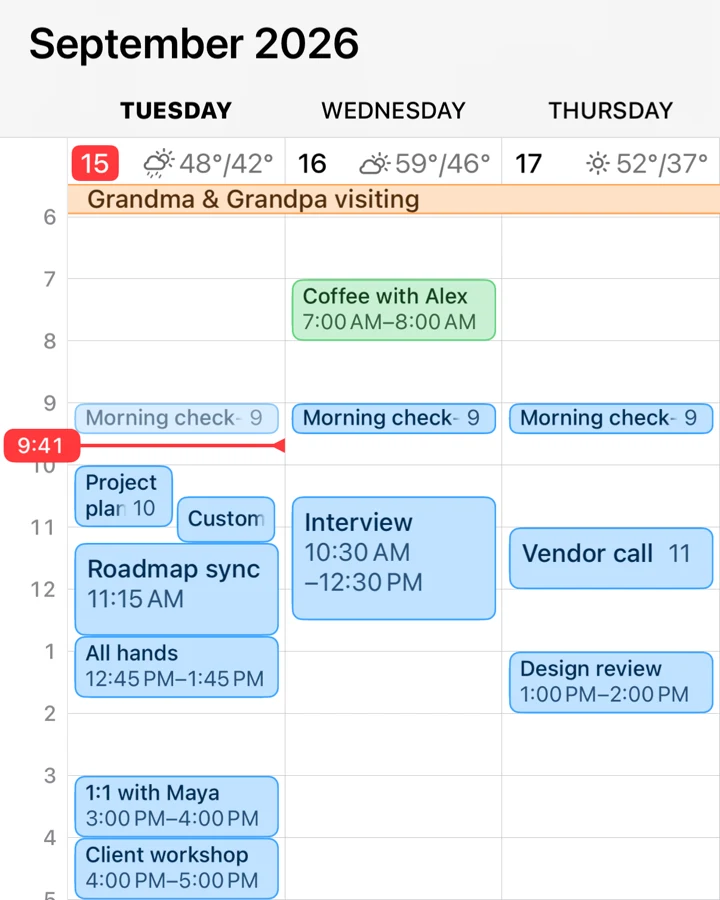
The weather where you plan
Each day’s forecast stands beside its date, and a single day shows it hour by hour. An event pinned to a place shows the forecast there. Weather is a switch in Riff’s settings.
-
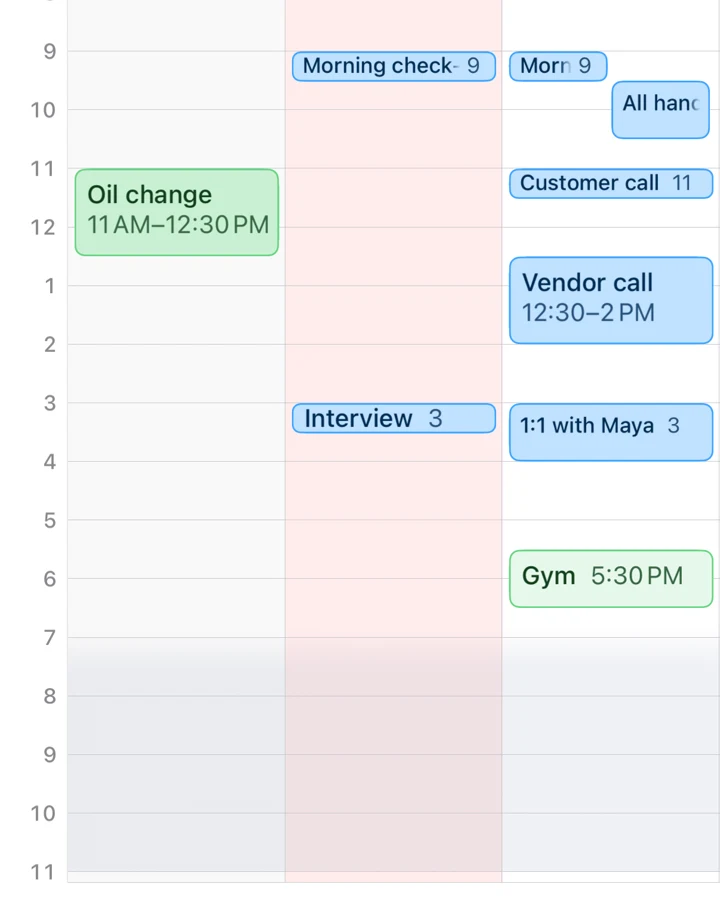
See when it gets dark
A faint shade covers the hours between sunset and sunrise where you are, so an evening run before dark is easy to plan. Daylight is a switch in Riff’s settings.
And there is more: reminders beside your events, search by title or place, alerts in a tap, time zones when you travel, a one-thumb zoom…
The calendar itself, as a widget
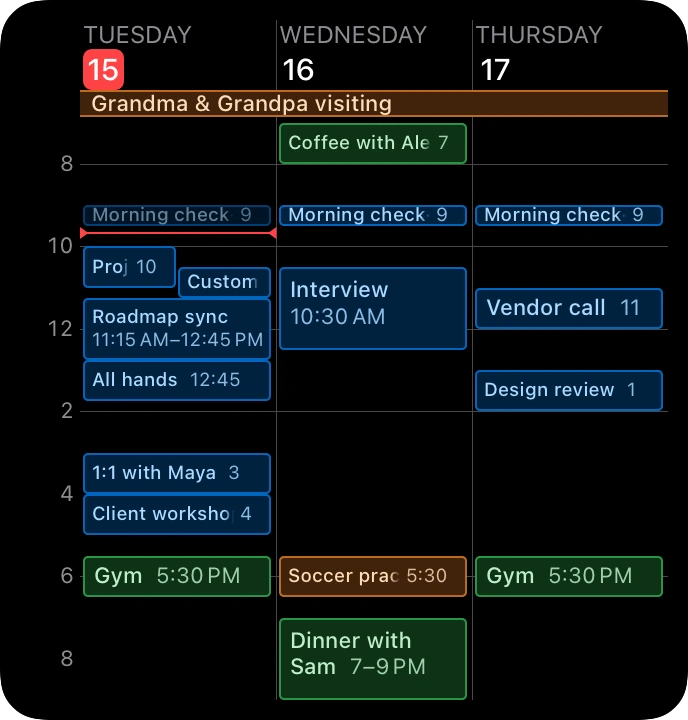
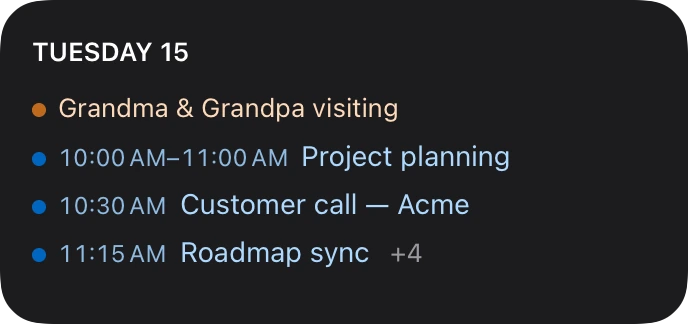
The Schedule widget is the calendar itself: every event drawn at its hour, with its length and its name. Each size shows as many days as you choose, up to three on the small, a week on the medium and two whole weeks on the large. Month draws this month, or this month and the next, and Up next lists what is coming, on the Home Screen or the Lock Screen.
Your calendars, not copies of them
Work Personal Family
Riff works directly on the calendars already on your iPhone: iCloud, Google, Exchange, whatever Apple Calendar sees. There is no Riff account and nothing to import. Events you create or move in Riff show up everywhere else. Delete the app and your data hasn’t gone anywhere.
Data collected: none
Riff has no server, no account and no analytics. Your events pass between Apple’s calendar database and your screen. Riff adds no stop of its own. Not collecting data isn’t a policy. There is nowhere for it to go.
Get Riff
★★★★★
The best interface for a calendar app I have yet found. Zooming in and out is smooth and adding events is a breeze. I actually like to add more events to my calendar now.
iPhone · iOS 26 or later
Leave your address for an email when Riff gets a major update.